



Analyse at the right moment
Launch an analysis manually, run it automatically after an authorised application, or analyse eligible candidates in bulk.
Trusted by recruiters at





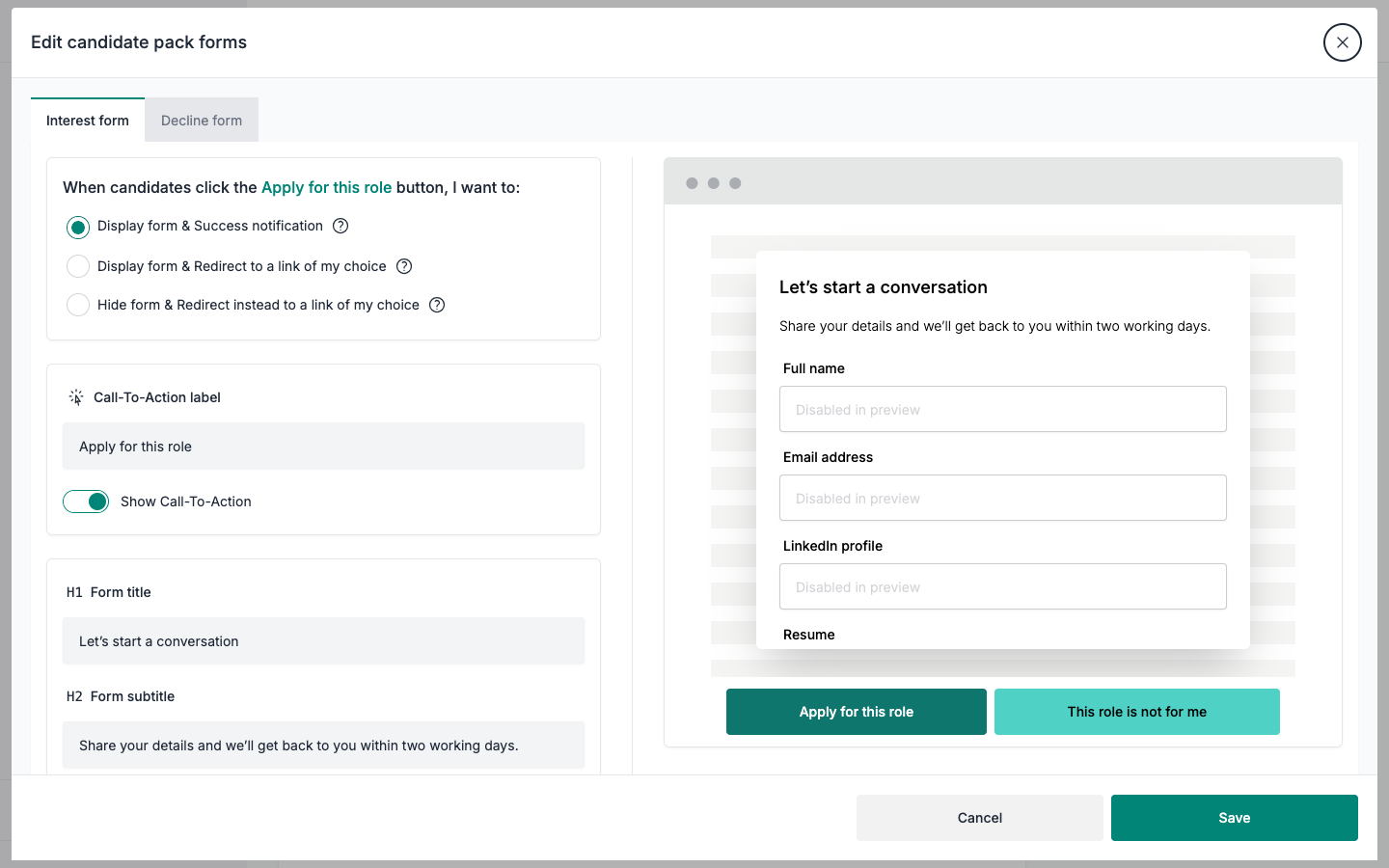
Edit field labels, button text, and form copy for both Interest and Decline flows.
Choose an in-app form, a form followed by a redirect, or a direct redirect for each response type.
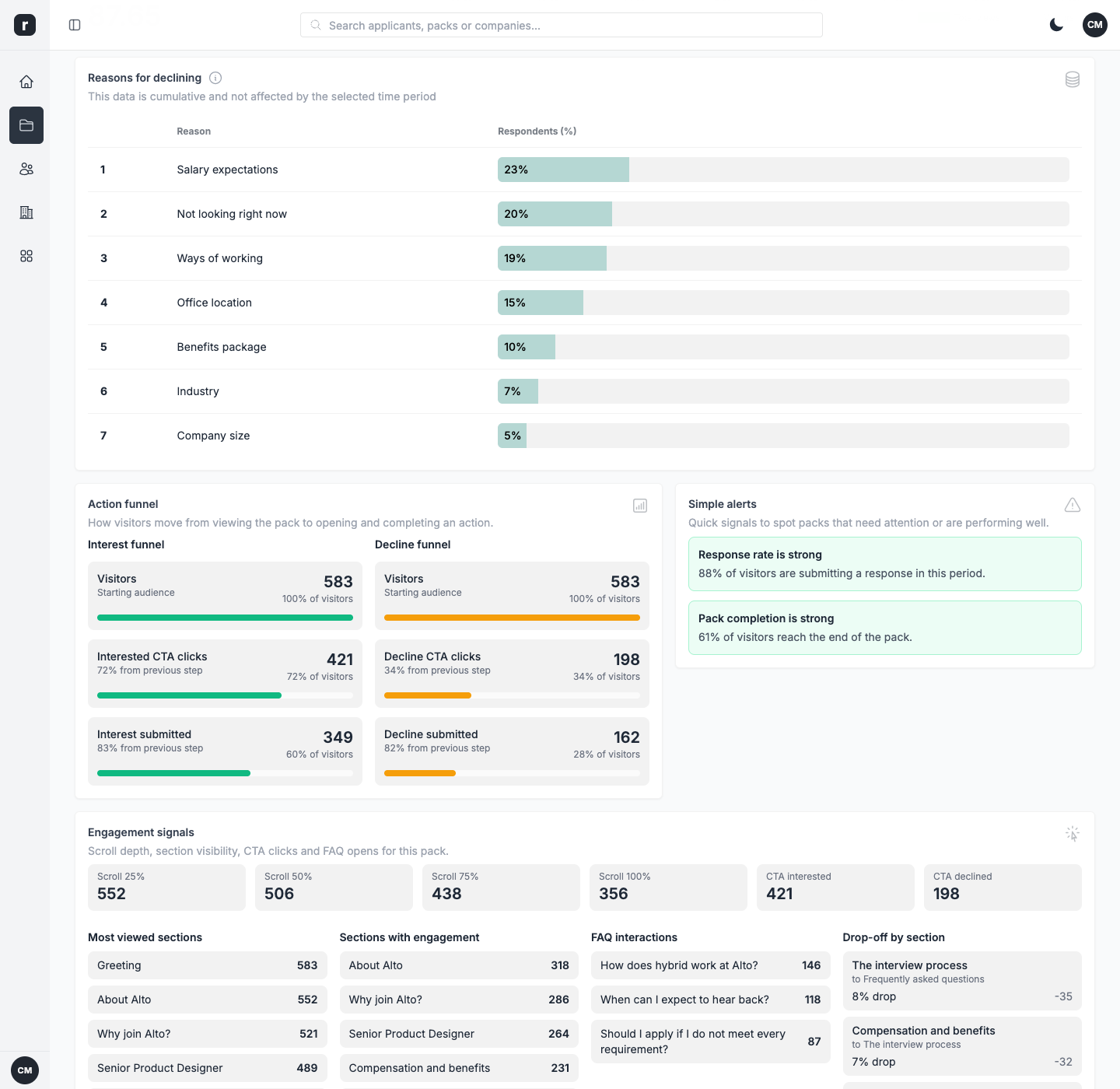
Seven fixed reason types with editable labels, so every 'no' tells you why.
Get notified the moment a new applicant response lands.
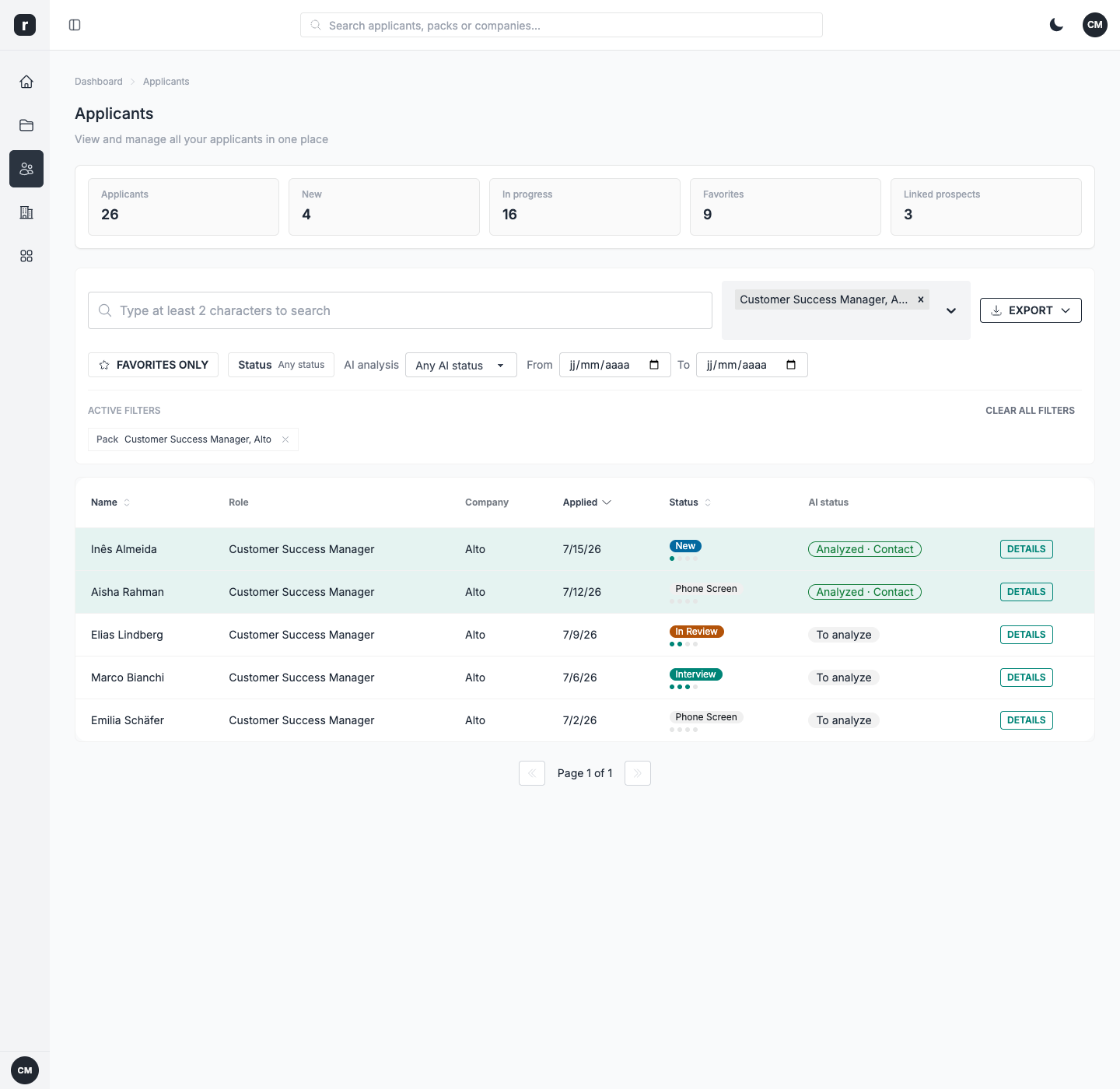
Every response arrives in one inbox, ready for your team to review and follow up.
When a candidate has consented, Role.so compares the submitted resume with the role and pack criteria. Your team gets a structured, evidence-based starting point for review.
AI supports the review. Candidate consent and recruiter judgement remain part of the workflow.
Launch an analysis manually, run it automatically after an authorised application, or analyse eligible candidates in bulk.
Review a profile summary, criteria fit, resume evidence, strengths, concerns, and confidence levels.
Get a recommended action and tailored interview questions, then decide whether to contact, clarify, or deprioritise.
A decline can still tell you something useful. Candidates can choose from seven preset reasons covering salary, perks, ways of working, office location, industry, company size, or simply not looking. You can rename the labels to match your voice while keeping the underlying data consistent.
James
Talent Lead
Interest and decline responses arrive in the same applicant dashboard, so there is no need to piece the conversation together from emails and spreadsheets. Filter the list, review each response, and use email notifications when your team needs a prompt to follow up.
Hannah
Talent Partner
 James, Talent Lead
 Hannah, Talent Partner
 Ammy, Talent Acquisition Specialist
Every interest and decline response lands in your applicant dashboard inbox, so you can triage, filter, and follow up in one place.
Yes. Field labels, button text, and form copy for both the Interest and Decline flows are fully editable.
You can rename the labels of the seven preset decline reasons to fit your voice, but the reason types themselves are fixed so your data stays consistent.
Yes. You can receive an email notification when a new applicant response arrives, so your team does not need to keep checking the dashboard.
With candidate consent, Role.so compares the submitted resume with the role and pack criteria. It produces a profile and fit summary, evidence, strengths, concerns, a recommended action, and interview questions. Recruiters can launch it manually, automatically after an authorised application, or in bulk for eligible candidates.